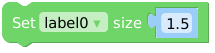
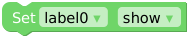
class Label – display text
Label is the basic object type used to display text.
Micropython Example:
import os, sys, io
import M5
from M5 import *

M5.begin()
Widgets.fillScreen(0x222222)
label0 = Widgets.Label("Text", 38, 47, 1.0, 0xffffff, 0x222222, Widgets.FONTS.DejaVu18)

label0.setText('Label')
label0.setFont(Widgets.FONTS.DejaVu12)
UIFLOW2 Example:
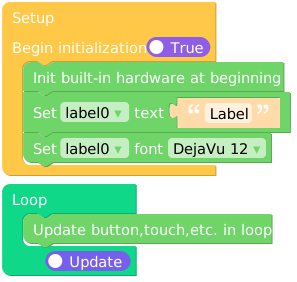
Constructors
- class Widgets.Label(text: str, x: int, y: int, text_sz: float, text_c: int = 0xFFFFFF, bg_c: int = 0x000000, font=None, parent=None)
Create a Label object. It accepts the following parameters:
textis the text to be displayed.xis the starting X-axis coordinate displayed.yis the starting Y-axis coordinate displayed.text_szis the font size for displaying text, usually 1.0.text_cis the font color for displaying text. The default is white.bg_c is the background color of the displayed text, the default is black.
fontis the set of fonts used to display text. For the built-in fonts, seeWidgets.FONTS.parent is the output target of the Label object, the default output is to the LCD, can also be output to the Canvas.
Methods
- Label.setColor(text_c: int, bg_c: int = -1)
Sets the text font color of the Label object. Accept the following parameters:
text_cis the font color for displaying text.bg_c is the background color of the displayed text, the default is black.
UIFLOW2:

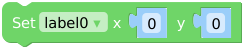
- Label.setCursor(x: int, y: int)
Sets the starting coordinates of the Label object. Accept the following parameters:
xis the starting X-axis coordinate displayed.yis the starting Y-axis coordinate displayed.
UIFLOW2:
- Label.setFont(font)
Sets the font set of the Label object. font is the set of fonts used to display text, the built-in font, see
Widgets.FONTS.UIFLOW2: